
Build cross-platform apps for Web, iOS, Android and Desktop with React
One React codebase, drawn natively by our own GPU renderer. No WebView, no rewrite, and agents can call your app’s actions.
A WAID account is required: it connects your apps to the relay that carries agent and app-to-app messages.
targets
One build. Every surface.
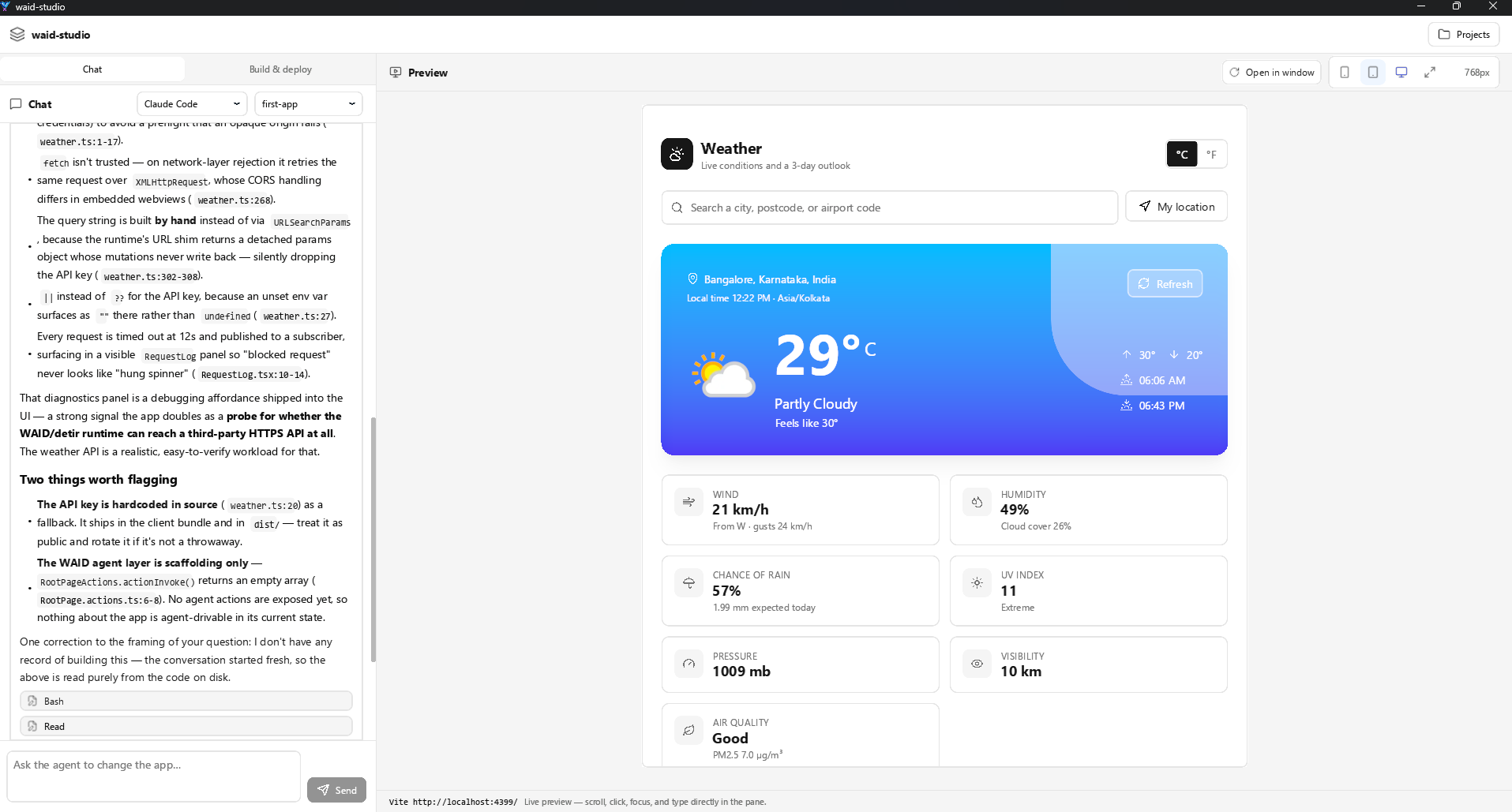
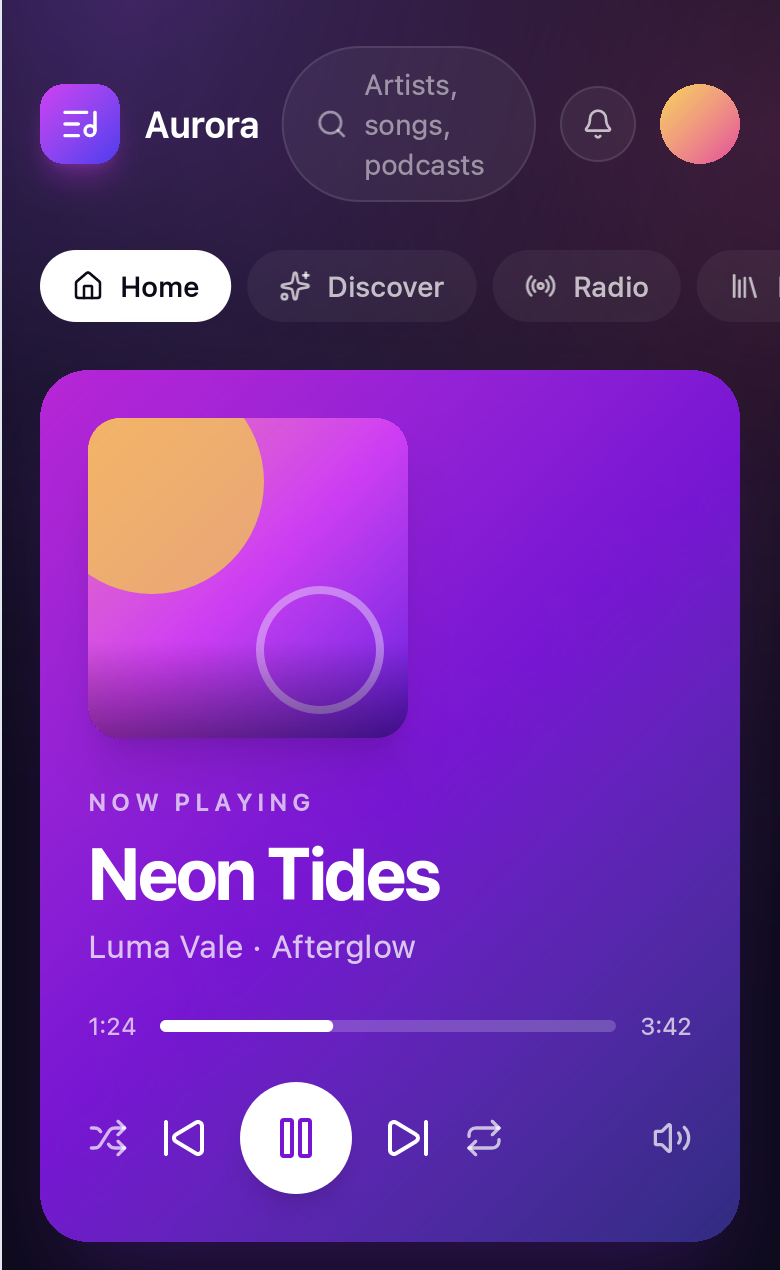
One Vite dist, packaged four ways. Desktop, iOS, and Android embed the detir runtime and draw on the GPU; the browser gets the same dist as static files.
Custom runtime built on wgpu
One renderer, compiled per platform - Metal on iOS, Vulkan or GLES on Android, wgpu on desktop. Your interface is drawn on the GPU, not handed to whatever webview the OS shipped this year.
How rendering workswhy waid
One codebase. Drawn natively. Callable by agents.
One codebase
Ship one Vite + React + Tailwind project to Web, iOS, Android and Desktop. No platform forks, no new language.
Learn moreNot a WebView
Our renderer draws every pixel on the GPU, so your app looks the same on every device and doesn’t change with each OS WebView update.
Learn moreAgents can use your app
waid app generate-mcp writes MCP tools from your app’s source. You choose which ones agents can call, and the relay delivers the calls.
Learn moreworkflow
From React source to native apps.
- 01
waid newStart from React
Scaffold a Vite + React + Tailwind app with shadcn/ui already wired up.
- 02
waid app generate-mcpMake it callable by agents
Generate MCP tools from your app’s source, then choose which ones agents can call.
- 03
waid devDevelop live
Run Vite hot reload and preview your app natively, on desktop or a connected phone.
- 04
waid buildShip everywhere
Bundle one dist into native artifacts for every platform.
agents & relay
Agent actions and the relay
waid app generate-mcp writes MCP tools from your app’s source, for named calls like purchase_order.create. Every new tool starts denied until you expose it.
The WAID relay carries those calls between apps and agents, so a tool in one app can invoke an action in another, and an agent can orchestrate them all.
the alternatives
How WAID compares
Four serious tools solve part of this. Each gives something up to do it - and where WAID is the wrong choice, that’s written down too.
| capability | WAID | React Native | Tauri | Flutter | Electron |
|---|---|---|---|---|---|
| Write it in React and TypeScript | Yes: React + TS | Yes: React + TS | Yes: any web stack | No: Dart + widgets | Yes: any web stack |
| One renderer you control on every target | Yes: detir-scene, wgpu | No: OS widget trees | No: system webview | Yes: Impeller | No: bundled Chromium |
| iOS and Android | Yes: .ipa and .apk | Yes: its home ground | Partial: newer, since v2 | Yes: first-class | No: not addressed |
| A real web target: DOM, SEO, DevTools | Yes: the dist is a site | Partial: RN-Web, separate | Yes: it is a web app | No: canvas, no SEO | Yes: it is a web app |
| No browser bundled with each app | Yes: a runtime, not a browser | Yes: native views | Yes: uses the OS webview | Yes: own renderer | No: Chromium per app |
| App actions callable by agents over MCP | Yes: waid app generate-mcp | No: build it yourself | No: build it yourself | No: build it yourself | No: build it yourself |
- the architecture gives you this
- possible, with a caveat that bites
- not in the model
developers
Built on React, Vite and Tailwind
No new language and no WAID-specific APIs. Author with Vite, Tailwind, and shadcn/ui; WAID packages the build and its renderer draws it natively.
// App.tsx: ordinary React. No WAID-specific APIs.export default function App() { const [count, setCount] = useState(0) return ( <Button onClick={() => setCount((c) => c + 1)}> Count: {count} </Button> )}Building a cross-platform app with React?
WAID is in early access. Tell us what you’re building.